Creative Technology · AI Media Production Published
Neon Streak Animation Studio
A YouTube channel of 25 original musical learning videos for children, produced end to end with generative AI image and video tools and a production workflow I built and refined along the way.
- Role
- Creator, writer, producer and editor
- Project type
- YouTube channel: musical learning videos for children
- Tools
- Kling AI, CapCut, AI image generation, YouTube
- Status
- 25 videos published on YouTube
Overview
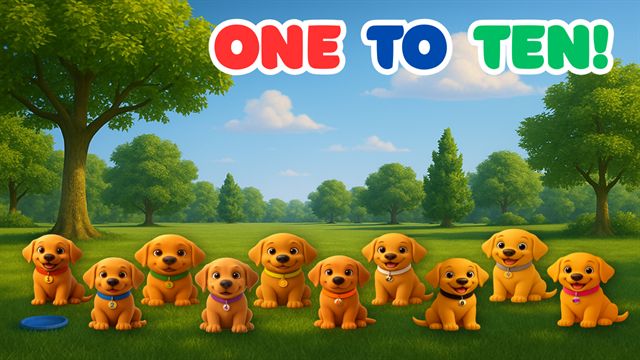
Neon Streak Animation Studio is a YouTube channel I created and produced independently. It contains 25 original musical learning videos for young children, covering the alphabet, colors and color mixing, counting, shapes and opposites, as well as themed songs and stories about trains, popsicles, ice cream, beach days, scavenger hunts and races.
Each video combines original songs and scripts, recurring characters, AI-generated imagery and animation, and conventional video editing. I handled every stage, from the learning goal through to a published video on the channel.
The challenge
Generative video tools can produce striking individual clips, but turning those clips into a coherent, finished video is a different problem. Output varies from one generation to the next. A character's markings, colors and proportions drift between shots, environments change, and motion doesn't always match the source image or the scene that was planned.
A music video makes this harder. Scenes have to land on the beat and follow the lyrics, the visual identity has to hold for the whole video, and recurring formats need enough consistent material to support episode after episode. The challenge was to get dependable, publishable results out of tools that are inherently unpredictable.
My role
I produced the project end to end, using tools that were entirely new to me when I started. I'm not a trained animator. The work was about learning the tools quickly, designing a process around them and delivering finished videos.
- Concept and educational themes
- Songwriting and scripting
- Story and scene planning
- Recurring character development
- AI image workflows
- AI animation and prompt iteration
- Video editing and assembly
- Timing and music synchronization
- Production decisions and review
- Channel publishing and branding
Production workflow
-
Concept & learning goal
Pick the idea a child should take away, such as counting to ten, mixing two colors or naming opposites.
-
Song / script
Write lyrics and narration that teach the idea and set the structure and pacing of the video.
-
Scene planning
Break the song into shots, characters and settings that match each line.
-
AI-assisted source imagery
Generate still frames for each scene, keeping characters, colors and framing consistent.
-
Kling AI animation
Animate the stills, then review, adjust prompts and regenerate until the motion is usable.
-
CapCut editing & assembly
Cut and sequence clips, build transitions and assemble the full video.
-
Music, timing & effects
Sync scenes to the song, add titles and effects, and tighten pacing.
-
Final review
Watch through for continuity, timing and visual consistency before release.
-
YouTube publishing
Thumbnail, title, description and playlists, then publish to the channel.
What the project required
Learning unfamiliar tools quickly
Kling AI, CapCut and AI image generation were outside my day-to-day software work. I learned them by producing real videos rather than isolated tests, so each new technique went straight into finished work.
Turning generative AI into a pipeline
Prompting was one step in a defined process that also covered planning, source imagery, animation, editing, synchronization and review, not an end in itself. Each stage had a clear input and output, which made the process repeatable from one video to the next.
Iterating until the output was usable
Generated animation often missed the intended motion or drifted from the source image. The working loop was to generate, evaluate, adjust the prompt or source frame, and regenerate. Editing covered the gaps that generation couldn't close.
Consistency across generated media
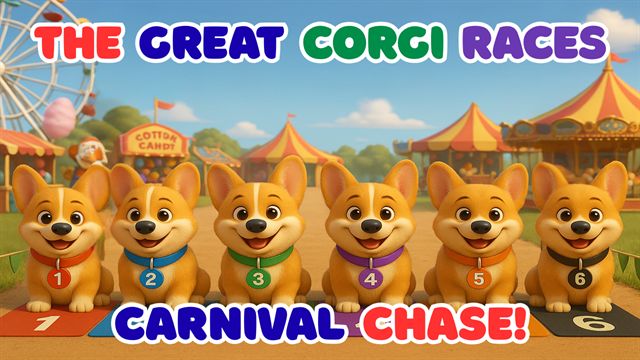
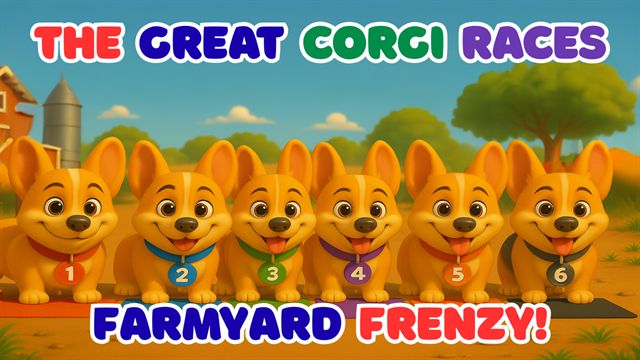
The Great Corgi Races is the clearest example. Six named racers (Zoomer, Flash, Rocket, Jet, Turbo and Nitro) each have a numbered collar and color that has to stay recognizable across shots, race environments and episodes. Holding character appearance, lighting, composition, a consistent polished 3D animated style and a fixed 16:9 frame across many separately generated clips took deliberate effort at every stage.
Delivering finished work
The project wasn't an experiment that stopped at a few impressive clips. The workflow produced 25 complete videos, each assembled, timed to its music, reviewed and published.
Selected work
The player loads only when you press play. Videos open on YouTube if scripts are disabled.
-
The Great Corgi Races: Carnival Chase
Recurring racing characters, narration and a carnival race course.
-
The Great Corgi Races: Farmyard Frenzy
The same six racers, carried into a new environment.
-
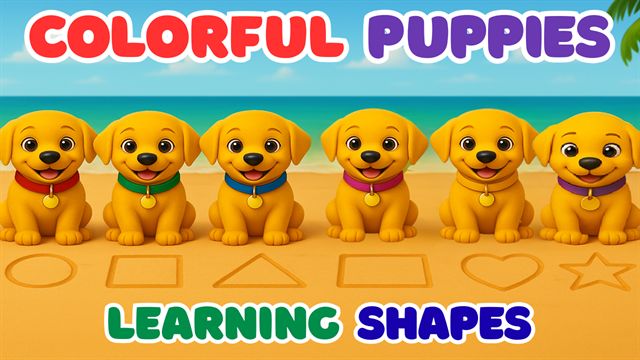
Colorful Puppies Learning Shapes
Shape recognition taught through song and recurring puppy characters.
-
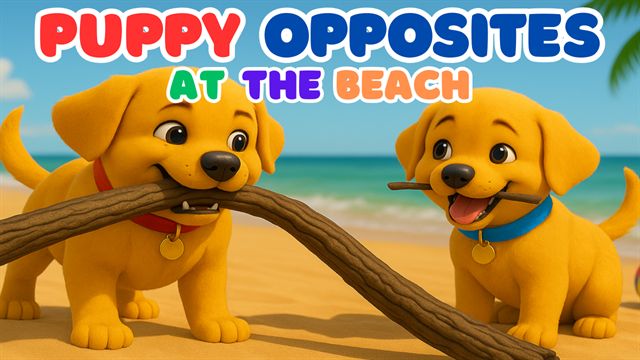
Puppy Opposites
Opposites taught through a beach-themed puppy story.
-
Colorful Counting Puppy Song
Counting combined with color recognition.
-
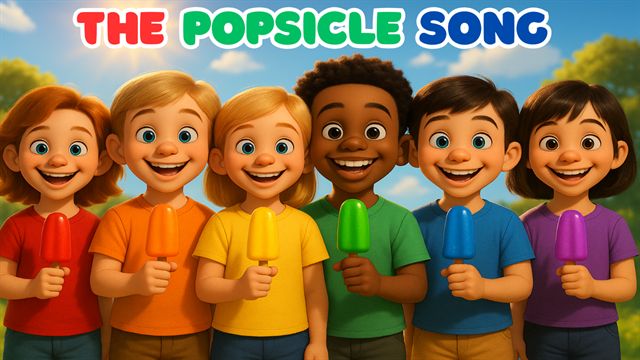
The Popsicle Song
A summer-themed sing-along.
Gallery
Select any image to view it full size.
-
The Great Corgi Races: six recurring racers, each identified by a numbered, color-coded collar. -
Channel branding: logo, banner and recurring characters. -
The Great Corgi Races: Beach Dash. Racers keep their numbered, color-coded collars from shot to shot. -
Carnival Chase: Nitro (#6) in a new race environment. -
Counting at the Beach. -
Sing the Toys from A to Z: C is for car. -
Colorful Beach Puppies: colors taught through recurring puppy characters. -
Puppy Beach Day. -
Five Little Puppies: all five puppies, each with its own collar color. -
The Puppy Counting Train: counting with numbered cars.
Tools
- Generation
- Production
- Distribution
Outcome
Published 25 videos published on YouTube
- Original videos published
- 25
- Recurring racing characters
- 6
- Consistent video format
- 16:9
25 completed and published musical learning videos, each taken from concept and song through generation, editing and synchronization to release.
A repeatable AI-assisted production workflow, plus practical experience with emerging generative-video tools: what they handle well, where they fall short, and how to work around their limits to finish the job.